Microsoft 365 · Anonymous customer project
A Connected Workspace Starts With Your People.
T Strategy guided the move from an on-premises environment to Microsoft 365—from understanding the existing setup to migration, device configuration, support and practical knowledge sharing.
The starting point
Plan The Move Around The Existing Business.
T Strategy gathered the customer’s requirements and studied the original on-premises setup before designing the Microsoft 365 structure. The scope brought email and data migration, device implementation, post-implementation support and feature demonstrations together.
Common challenges → Modern workspace opportunities
Make Everyday Work Easier To Connect.
Explore the opportunities Microsoft 365 can offer when planned around your business needs.
Work Beyond The Office
When access depends on being at a particular location.
Cloud-based email and files can support access across locations and supported devices.
Collaborate On Shared Work
When attachments and separate file versions slow teamwork.
Shared files, co-authoring, meetings and team communication can bring people’s work together.
Manage Access More Clearly
When accounts, permissions and devices need a more consistent approach.
Microsoft 365 offers identity and administration controls; the design depends on the selected plan and configuration.
Help People Use The Tools
When users have new software but little guidance.
Practical demonstrations and post-implementation support help introduce available products and features.
Capabilities vary by Microsoft 365 plan and setup. Explore Microsoft 365 business capabilities →
What T Strategy delivered
A Clear Path From Assessment To Adoption.
Understand
Gather requirements and study the on-premises environment.
Design
Design the Microsoft 365 structure around the customer’s requirements.
Migrate
Migrate email and data into Microsoft 365.
Implement
Configure Microsoft 365 and the customer’s devices and endpoints.
Support
Provide assistance after implementation.
Share Knowledge
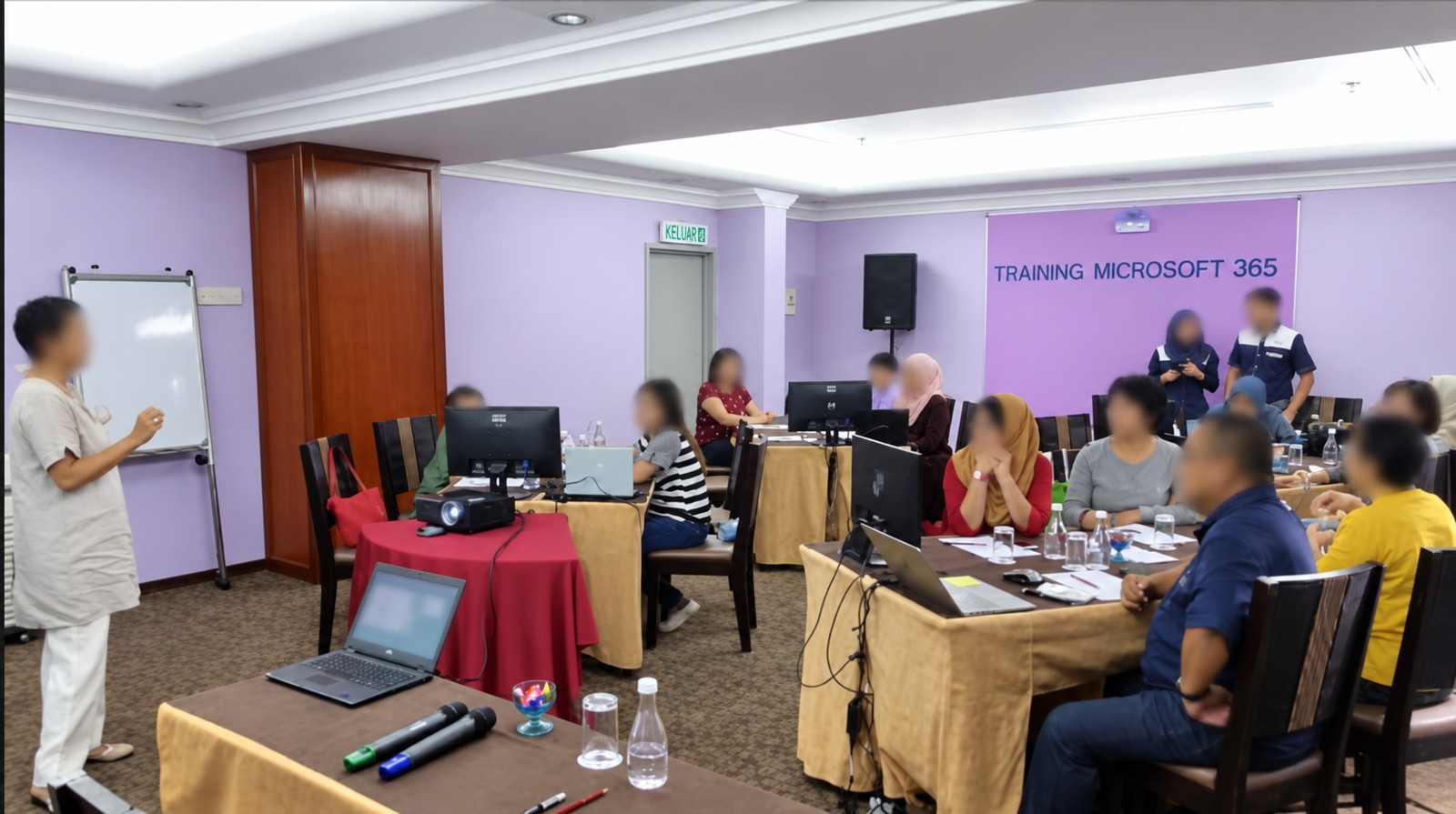
Explain available capabilities and demonstrate selected products and features.
Beyond migration
Connect The Technical Move With Everyday Use.
The project included migration and implementation, followed by support and knowledge sharing. The customer received guidance on what is available within Microsoft 365, with demonstrations of selected features.
That combination keeps the conversation focused on both the environment and the people who use it.
Your next step
Build Your Modern Workspace With A Clear Plan.
Talk to us about your current setup, migration needs and team’s way of working.